Apps exactly the way you want them.
Start from scratch or an app someone made.Say what you’d change and watch it update in real time.Keep it for yourself or share with others.No code. Free and open source.
What is Lamp?
Lamp is a Mac app that makes apps and games for you. Say what you want, and it builds it; ask for more, and it changes it while it runs. No code.
- Start anywhere from scratch, from an app someone made, or from a friend's link
- Change it live it changes in front of you, without a restart
- Runs on your things your Mac, your phone, your TV, your Xbox
- Uses the AI you have Claude, ChatGPT, OpenRouter or a model on your Mac
- Free and open source MIT license, on GitHub
Apps to start from
Every one of these comes with Lamp. Open one as it is, or say what you'd change.
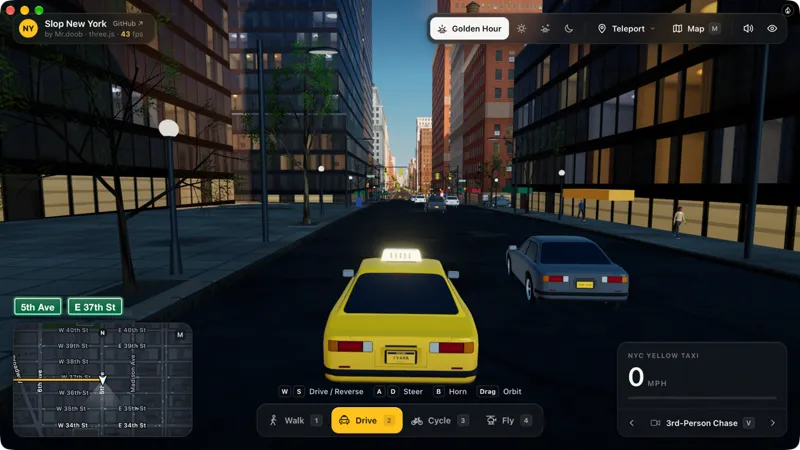
New York by Mr.doob · Game · 3D
Mr.doob's Slop New York: explore Manhattan on foot, by car, by bike or by helicopter.
Play it ↗Change itruns on Mac, iPad, Xbox, TV
└ or ask: Make it a snowy winter night
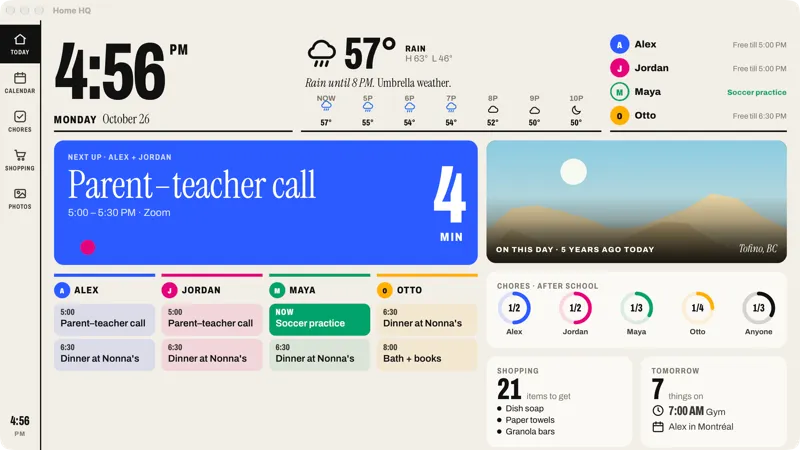
Home HQ by Wes Bos · Screen
Wes Bos's family dashboard: the day, calendar, chores, shopping and photos at a glance.
Try itChange itruns on Mac, iPad, TV
└ or ask: Put it on our photo frame
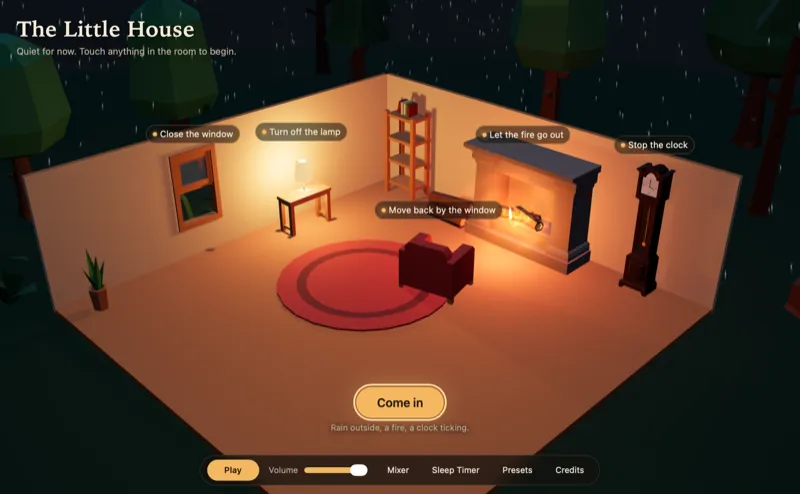
The Little House by remvze · Web app · 3D
A cozy little room on a rainy night, with a fire and a ticking clock to listen to.
Try itChange itruns on Mac, iPad, TV
└ or ask: Make it a rainy Tokyo night
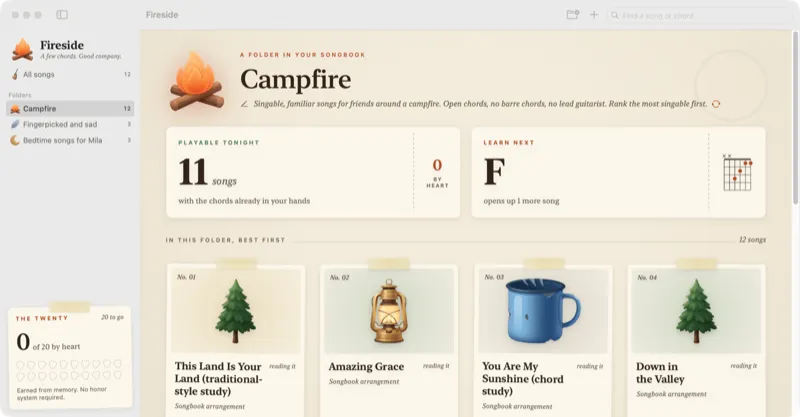
Fireside by Lamp · Mac app
A campfire songbook that listens as you play and helps you learn songs by heart.
└ or ask: Give it a vintage vinyl look
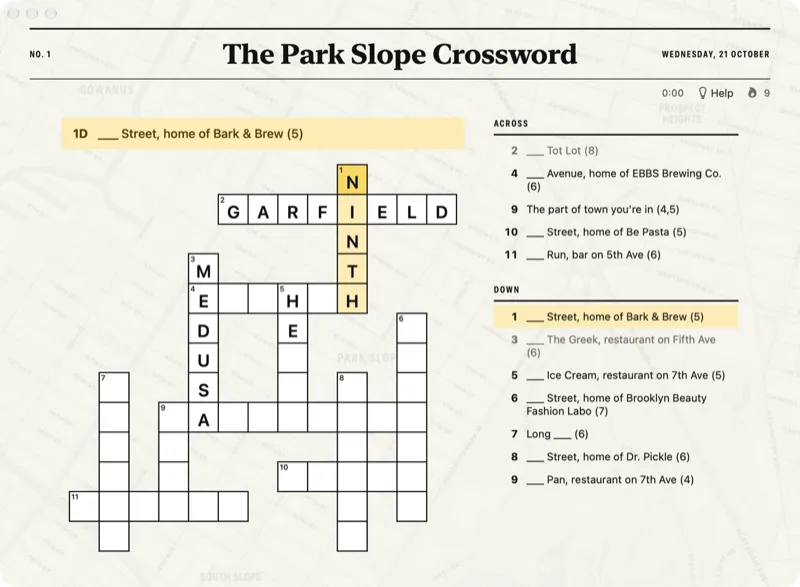
Local Crossings by Lamp · Mac app
A new crossword every morning, made from the streets, parks and corner spots around you.
└ or ask: Give it a vintage atlas look
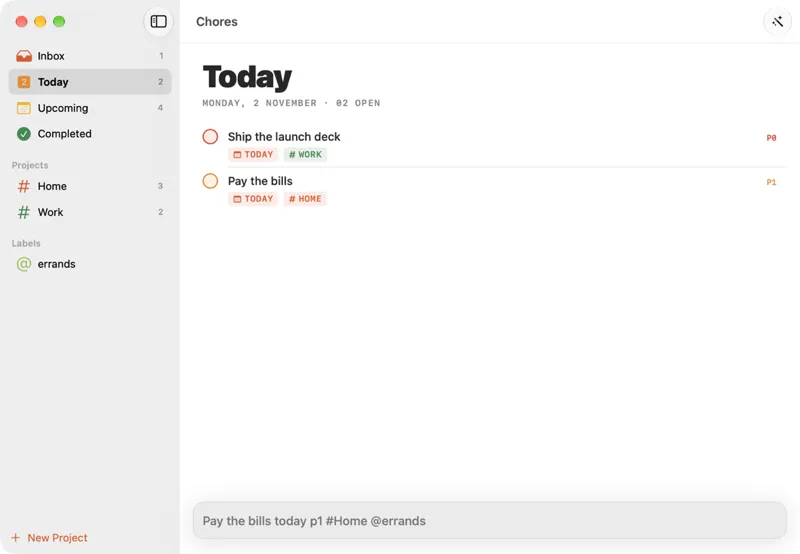
Chores by Bruno Bergher · Mac app
A sleek to-do list with projects, priorities and due dates you type in plain words.
└ or ask: Make it a retro green terminal
Put your apps on your TV, phone and more
- iPhone and iPad
- Your Mac
- TVsSamsung, LG, Roku, Fire TV, Google TV
- Android phones and tablets
- Sonos
- Xbox
- Photo frames
Get Lamp
Lamp 0.35.0 · free · macOS 14+ on Apple Silicon
Or build it yourself:
xcode-select --install
git clone https://github.com/lampdotdev/Lamp.git
cd Lamp && ./build.sh
open "build/Lamp Dev.app"
A build from source is Lamp Dev, a separate app that sits beside the Lamp you download.
Questions
Do I need to know how to code?
No. You say what you want in plain words, and Lamp writes the code, runs it and changes it as you ask.
Is it free?
Lamp is free. Building uses an AI: your Claude or ChatGPT subscription, an OpenRouter key (you pay OpenRouter for what you use), or a model running on your Mac.
What do I need?
A Mac with Apple Silicon and macOS 14 Sonoma or later.
Where does my stuff go?
The apps you make and what's in them stay on your Mac. What you ask for goes to the AI you picked, and Lamp asks you before it reaches files outside an app's own folder.
Is it open source?
Yes, under the MIT license. The source, issues and releases are on GitHub, with a guide for anyone who'd like to help.
Space or tap to jump · hold for higher
New in 0.35.0
- Share's main button is New Release now, with Copy as a small button beside the link. Once you've released, the window's main button is View, which opens the link's page.
- Release Update puts an app on GitHub the first time too, and after that updates GitHub in the same press as the link.
- Merged someone's changes into your app on GitHub? Bring In Changes brings them into your app before you release again, keeping your own.
- The GitHub repositories Lamp makes are much smaller: they no longer carry a copy of the app file.